
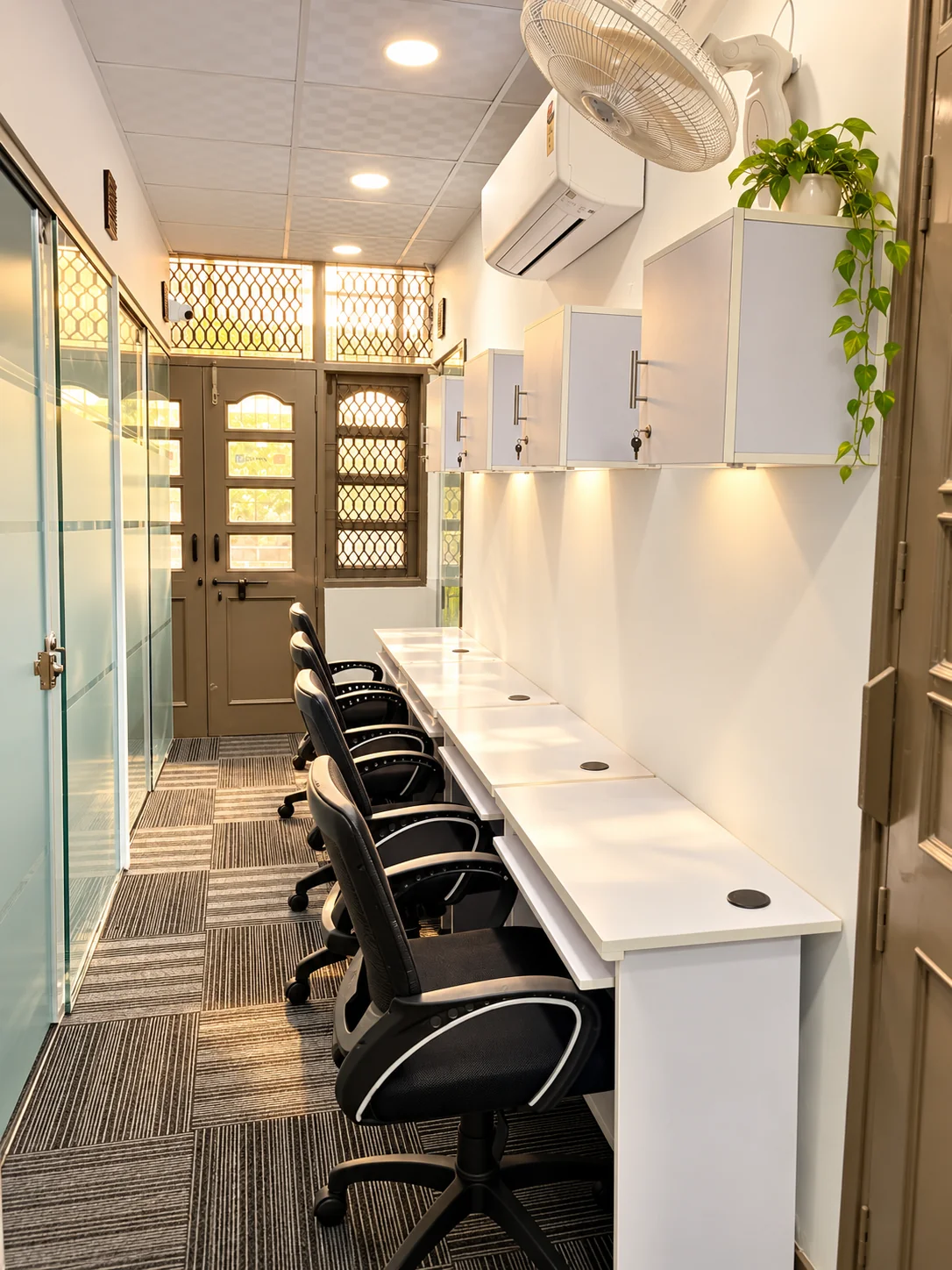
Internet speed deserves more than a small icon on a coworking page. Dansa provides super-fast 300+ Mbps Wi-Fi, alongside power backup, at its Rohini workspace. Those are important starting features, but choosing a place for work also means checking how your actual devices and applications behave. This guide explains what to try and what to ask without turning a connection specification into an unsupported performance guarantee.
Understand what the headline does and does not promise
The 300+ Mbps figure describes the advertised workspace connection, not a guaranteed dedicated 300 Mbps allocation to every person, cabin or device. The speed you experience can be affected by your device, wireless signal, network load and the service you are connecting to. A website or application outside the workspace also forms part of the experience.
No separate dedicated line, upload-speed commitment, uptime percentage or service-level agreement is stated on this website. Teams needing a particular specification should discuss it directly before booking. That keeps the difference clear between a fast shared connection and a contract for a specific technical requirement. A good enquiry describes what the work needs rather than assuming all requirements follow from one large speed number.
Test from the place where you will sit
Bring the laptop you normally use and check the connection in the shared area or cabin you are considering. Do not judge the whole workspace only from a phone test at reception. Wireless conditions can vary between devices and positions, so the actual setup is the useful starting point.
Ask the team to help you connect and run a permitted, ordinary work check. Avoid disruptive tests or unusually heavy transfers without agreement. For a four-person cabin, discuss the group’s likely usage rather than extrapolating everything from one laptop. For a fixed workstation, test the position you would use if it has been identified during the visit.
Use a representative slice of your workday
Think about the tasks that would make you stop working if they failed. These might include your normal video-call application, shared documents, browser-based business tools or approved remote-access software. Check those tasks using your own account and device only where appropriate and permitted by your organisation.
Do not put sensitive information into an initial website enquiry or run a test that conflicts with your employer’s policies. If a company-managed laptop needs a specific configuration, involve the appropriate technical contact. The aim is to establish compatibility and suitability, not to bypass a restriction. The remote-professional guide connects these checks with choosing the right desk or cabin.
Discuss simultaneous team usage explicitly
A team’s requirement may be different from an individual’s. Explain how many people are likely to be on calls together, whether large transfers are routine and whether you have unusual network requirements. Those facts give the team something specific to review.
Do not assume a cabin automatically has a different internet service from shared workstations. The cabin adds enclosure and a team base; network arrangements need their own confirmation. Ask what the workspace can support for your proposed use, and whether any special arrangement is available or required. The four-person team guide covers the related equipment and working-pattern questions.
Ask what power backup covers
Dansa provides power backup. Before making a technical assumption, ask which facilities and equipment remain supported during a power interruption, how the switchover works and what limitations apply. The site does not claim that every socket, air conditioner or device runs indefinitely on backup.
If your work relies on a particular device staying powered continuously, explain that requirement and ask for a specific answer. Do not treat the words “power backup” as an unlimited uptime promise. For unusual equipment, confirm permitted use and relevant electrical requirements with the team before bringing it into the workspace. A clear limitation is more useful to a work-critical decision than an undefined guarantee.
Check how to get help when something is not working
Ask whom to contact for a connection issue during your agreed working hours and how the team handles an interruption. A published amenity is not the same as a stated round-the-clock technical support arrangement. Clarify the practical support process that applies to your membership.
This matters particularly for extended hours. Standard access is 9 AM–8 PM, six days a week; 24×7 access is available on request, subject to confirmation and extra charges. Ask how connectivity, backup and assistance work under that arrangement rather than assuming daytime staffing continues overnight. The extended-access guide helps you bring those questions together.
Do not overlook the physical working setup
A fast connection is only part of a comfortable workday. Check the desk, seating position, personal locker and surrounding sound conditions. Dansa provides lockers for each person and cabin, AC, housekeeping, tea, coffee and drinking water, with a pantry and breakout space nearby.
The single-seater cabin adds an ergonomic chair with lumbar support and a headrest, plus a large locker and an enclosed personal setting. Shared open workstations and fixed desks offer different seat-allocation arrangements. Choose the environment as carefully as the connection: the fastest test result cannot decide whether you need a personal room or a flexible seat.
Use a visit or a workday to make the decision
Tell the team which workspace you are considering and which tools you need to check. A tour can cover the basics; a confirmed ₹300 day pass can provide an opportunity to experience a realistic working session in the shared area. It is not an automatic trial of a private cabin.
Use the tour checklist and contact Dansa with any requirements that remain unresolved. The website is an enquiry route, not a technical certification or a booking confirmation. Super-fast Wi-Fi is a reason to take a closer look; seeing your actual work run as expected is how you decide whether the workspace belongs in your routine.
Workspace details and regular prices describe Dansa’s Rohini offering. Confirm current availability, your complete quote and the agreed terms with our team before booking.
Ask a question about this guide